The Eyes Of Beauty
skyrim — Mods & Enhancements
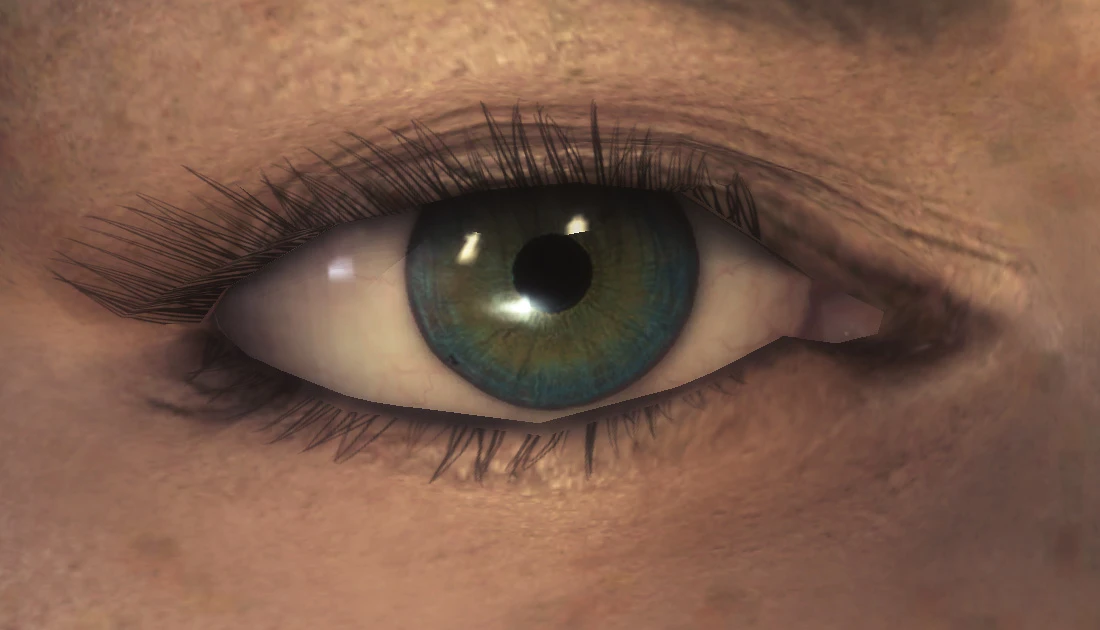
The Eyes of Beauty replaces every eye texture in Skyrim – for humans, elves, orcs, Khajiits, and Argonians – with high-resolution, realistic iris and pupil textures that shine with natural depth and color variation. It includes separate files for player-only or player+NPC replacers, and is fully compatible with other eye texture mods because it uses its own texture paths. Players install it to make characters look more lifelike and expressive, especially when paired with face mods like 'RaceMenu' or 'Bijin' series, as it fixes the flat, painted-on look of vanilla eyes.
Syntax
Body, Face, and HairExample
Downloads: 8,065,899💡 Notes
By Gabriel Mailhot as LogRaam
🎯 Tips & Tricks
On the mod page, download 'The Eyes Of Beauty - All in One' for full NPC coverage, or 'Player Only' if you want to keep vanilla NPC eyes for performance. In Mod Organizer 2, install the 'All in One' and then use the 'NPC replacer' option – do NOT install both, as they conflict. For Khajiit and Argonian, ensure you select the 'Khajiit and Argonian' file separately, as the main file does not cover beast races.
If eyes appear black or glowing under ENB, go to your enbseries.ini and set 'EnableEnvBump' to false and 'EnableSpecular' to true. Alternatively, in-game press Shift+Enter, find 'EyeAdaptation', and set 'MinImageLuminance' to 0.1. This happens because ENB's specular lighting overrides the eye's alpha layer – the mod's textures use a special specular map that ENB mishandles.
If you want to layer 'The Eyes of Beauty' with other eye mods, install 'The Eyes of Beauty' LAST in the left pane, but do NOT overwrite the 'eye.dds' files from 'Improved Eyes' – instead, use MO2's 'Hide' function on the conflicting files. This way, you get the realistic textures from TEOB but keep the shape meshes from Improved Eyes. In-game, test with 'showracemenu' to check for clipping.
🔧 Troubleshooting
Conflict with 'RS Children Overhaul' or 'Bijin NPCs'
These mods include their own eye textures that overwrite TEOB. Fix: In MO2, place TEOB AFTER RS Children and Bijin in the left pane. If using Vortex, set TEOB as 'winning' for the folder 'textures\actors\character\eyes'. If you still see old eyes, manually delete the eye .dds files from the conflicting mods via the 'Conflicts' tab.
Compatibility issue with 'Skyrim Special Edition' (SSE) version
The original mod was for Oldrim – for SSE, download 'The Eyes of Beauty SSE' from the separate Nexus page. If you accidentally install the Oldrim version, eyes will be purple or missing. Fix: Uninstall, download the SSE version, and ensure you have 'Skyrim Script Extender' (SKSE64) installed – TEOB SSE requires SKSE for the MCM menu to toggle player-only mode.
⚠️ Common Mistakes
- [object Object]
- [object Object]
👍 Pros
- 186,214 endorsements
👎 Cons
- Requires correct game version