Static Mesh Improvement Mod - SMIM
skyrim — Mods & Enhancements
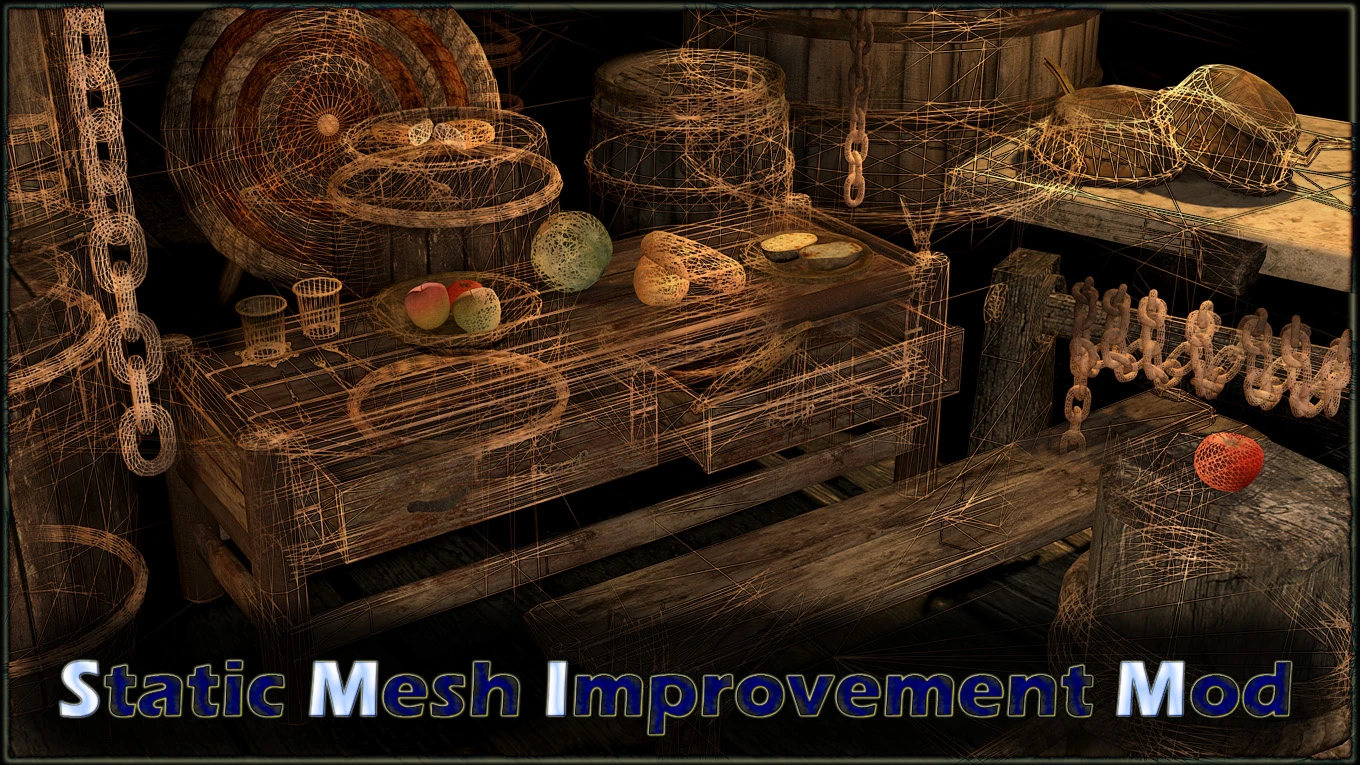
SMIM is a comprehensive mesh replacer that upgrades the 3D geometry of hundreds of static objects in Skyrim, including chains, ropes, barrels, furniture, bridges, fences, and even small clutter like apples and plates. It replaces flat, low-polygon models with high-detail versions that have proper depth, rounded edges, and improved textures, making the game world look significantly more modern. Players install it as a foundational mod because it improves visual fidelity without changing gameplay, and it serves as a base for many other texture mods that expect SMIM's meshes.
Syntax
Models and TexturesExample
Downloads: 10,267,004💡 Notes
By Brumbek
🎯 Tips & Tricks
On the SMIM Nexus page, select the 'Full' version for the best quality, but if you have performance issues, choose 'Lite' or 'Performance' versions that reduce the polygon count for chains and ropes. When installing via Vortex, make sure to run the FOMOD installer and select the 'SMIM - Noble Skyrim Patch' if you use Noble Skyrim, or 'SMIM - Skyrim 2018' patch for other texture overhauls.
Download 'SMIM Performance Plus' from the Nexus and install it after SMIM. This addon replaces some high-poly meshes (like chains) with optimized versions that look nearly identical but use fewer triangles. In your mod manager, load this addon's ESP (if any) after SMIM.esp, or simply overwrite SMIM's meshes with the addon's files.
When using 'Skyrim 202X' (or similar), some textures will not match SMIM's meshes, causing seams. To fix, download the 'SMIM - Skyrim 202X Patch' and place it after both mods. If no patch exists, use xEdit to check if the texture record references the same .dds file — if not, manually copy the texture from Skyrim 202X into SMIM's folder.
🔧 Troubleshooting
SMIM causes stretched or black textures on objects when used with 'Skyrim HD - 2K Textures' because both mods overwrite the same normal maps.
In your mod manager, load SMIM after Skyrim HD, but then download the 'SMIM - Skyrim HD Patch' from the SMIM page. This patch provides corrected normal maps that align with SMIM's geometry. If the patch is missing, use xEdit to copy the normal map from SMIM's meshes folder to Skyrim HD's texture folder, ensuring the file paths match.
SMIM's rope and chain meshes cause flickering or z-fighting when combined with 'JK's Skyrim' because JK's places objects in overlapping positions.
Install the 'SMIM - JK's Skyrim Patch' from the JK's Skyrim compatibility page. If that doesn't exist, use the console command 'disable' on the offending object to remove it, or use xEdit to move the object's position slightly. Alternatively, disable SMIM's high-poly chains in the FOMOD installer and use the 'Ropes' option from 'Ropes HD' mod instead.
⚠️ Common Mistakes
- [object Object]
- [object Object]
👍 Pros
- 273,271 endorsements
👎 Cons
- Requires correct game version