aMidianBorn Book of Silence
skyrim — Mods & Enhancements
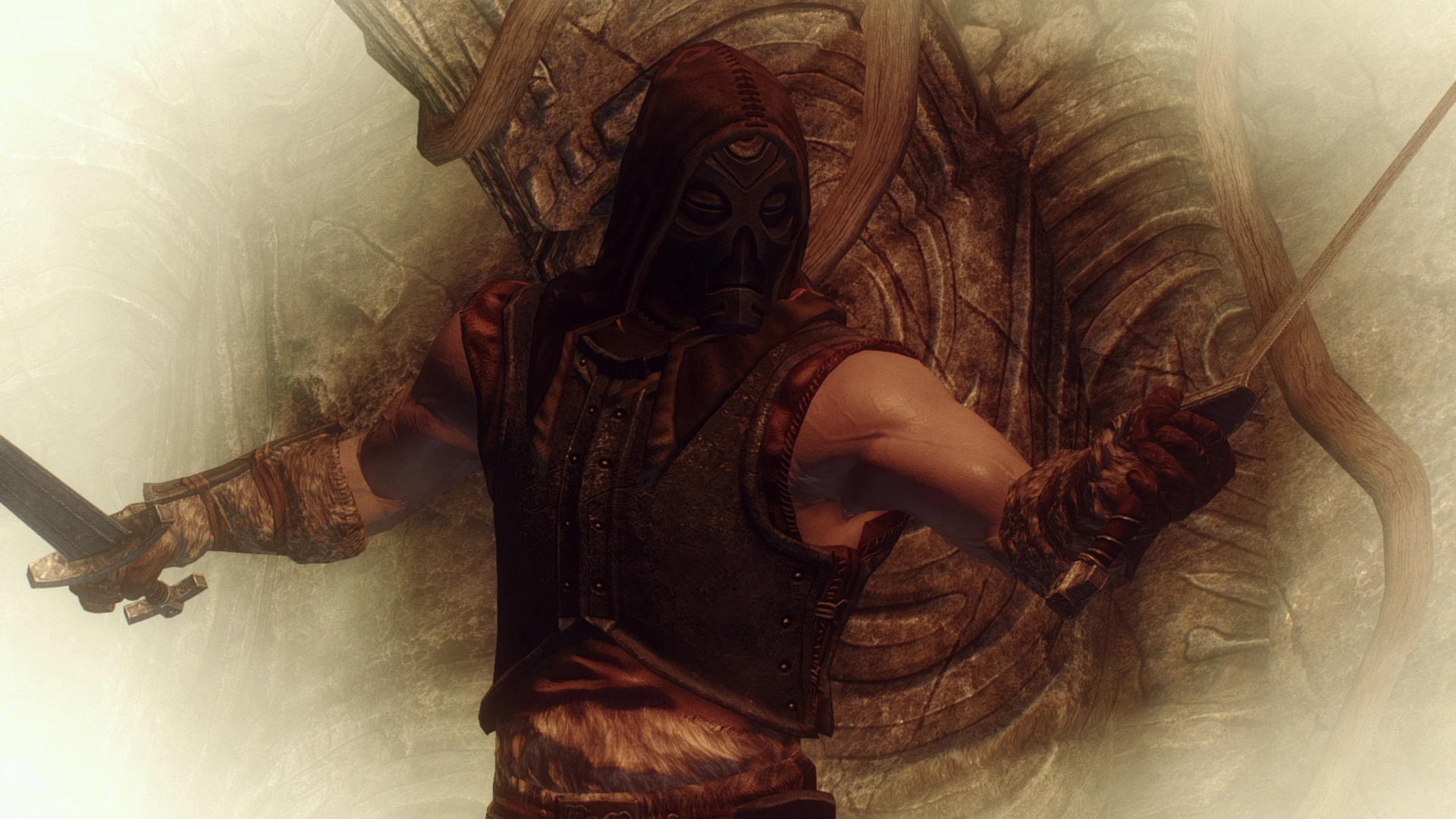
This is a comprehensive texture overhaul that replaces the default low-resolution, muddy textures for nearly all vanilla armors, weapons, and creatures (including dragons, trolls, and falmer) with hand-painted, high-detail 2K and 4K textures. It changes the visual identity of every piece of gear, making metals look like real forged steel, leather look worn and weathered, and cloth look woven, while preserving the original meshes so it doesn't alter stats or enchantments. Players install it to eliminate the blurry, plastic look of vanilla textures and achieve a gritty, Lore-friendly aesthetic that matches the game's Nordic tone, without needing an ENB or heavy performance hit.
Syntax
Models and TexturesExample
Downloads: 13,873,164💡 Notes
By CaBaL- EmeraldReign-the AMB team
🎯 Tips & Tricks
Open the mod's installer (or extracted folder) and manually copy only the '4K' subfolder for items you want ultra-detailed (e.g., 'Daedric', 'Dragonplate') into your Data folder, but keep the rest at 2K. This saves VRAM and avoids stuttering on 4GB GPUs. In MO2, create a separate mod folder named 'aMidianBorn 4K Patch' and place those files there, ensuring it loads AFTER the main mod.
If you see black or missing textures on female body armor (e.g., Iron or Steel), it's because aMidianBorn includes its own normal maps that conflict with CBBE or UNP body meshes. Go to your mod manager, open the 'Textures/armor' folder, and delete the '_n.dds' files for the affected armor pieces. Alternatively, install 'aMidianBorn Book of Silence - CBBE Compatible' patch from Nexus.
If you're using a 2GB VRAM GPU, run the mod's textures through Ordenador (a texture optimizer) with settings: 'Compress to BC7' and 'Resize to 2048'. This reduces VRAM usage by 40% while keeping visual quality. Do this AFTER installation, then reinstall the mod to overwrite the original files.
🔧 Troubleshooting
Conflicts with 'Skyrim 202X' or 'Septentrional Landscapes' because both overwrite the same 'textures/armor' and 'textures/creatures' paths, causing visual flickering or missing textures.
Load aMidianBorn AFTER Skyrim 202X in the left pane of MO2, or in Vortex, set aMidianBorn's 'Textures' folder to 'After' in the 'Mods' tab. If using a texture merge mod, ensure aMidianBorn is the last overwrite for armor/weapon/creature textures only.
Incompatible with 'Immersive Armors' because both add textures for the same vanilla armor IDs, causing aMidianBorn's textures to be overwritten by Immersive Armors' lower-quality ones.
In your mod manager, place aMidianBorn AFTER Immersive Armors in the load order, or manually delete the 'textures/armor' folder inside Immersive Armors to let aMidianBorn take priority. Do NOT use a bashed patch for textures; use a simple override.
⚠️ Common Mistakes
- [object Object]
- [object Object]
👍 Pros
- 117,479 endorsements
👎 Cons
- Requires correct game version