Legendary Modification
fallout-4 — Mods & Enhancements
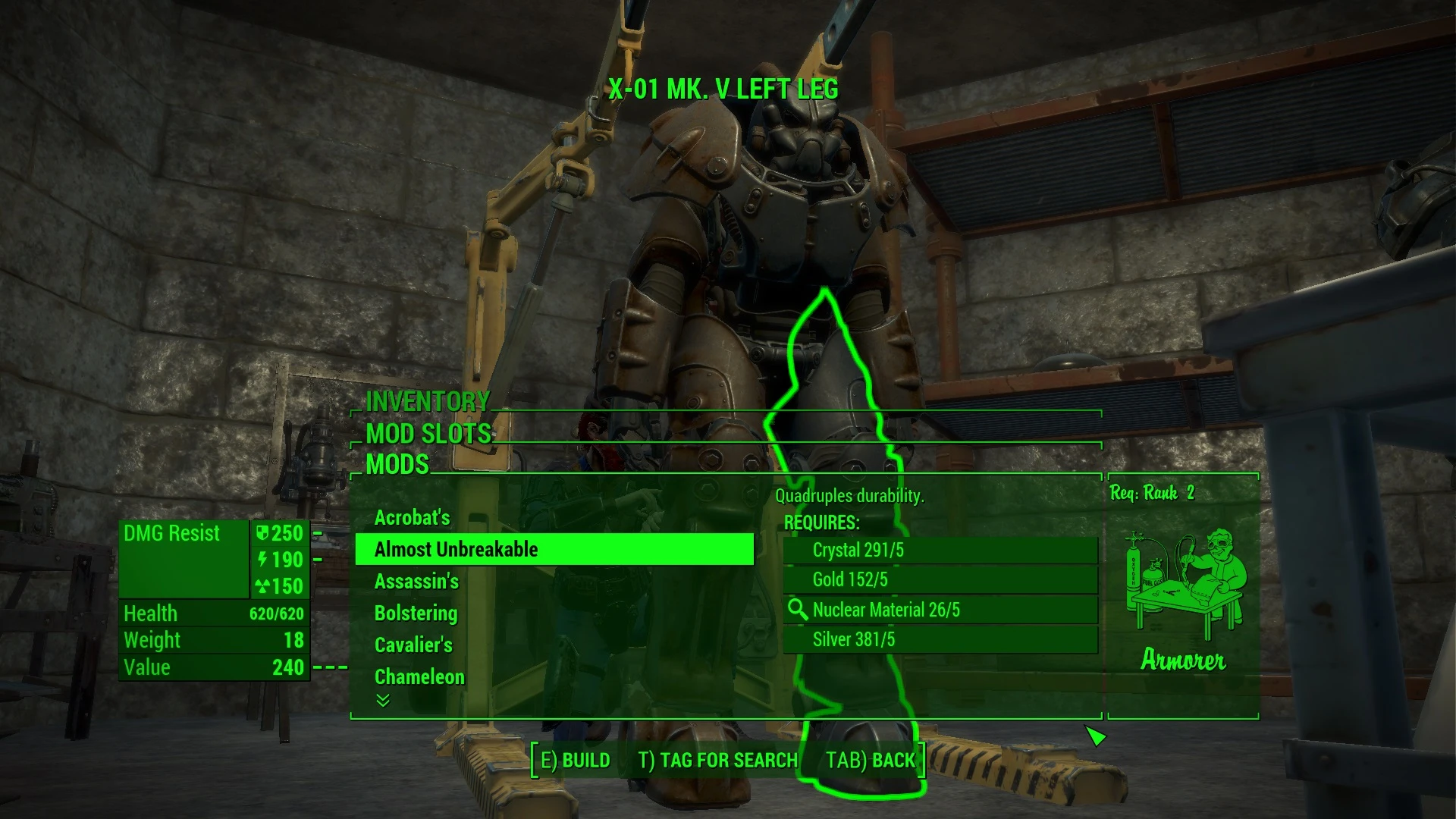
This mod adds a new 'Legendary' mod slot to all weapons and armor workbenches, allowing you to craft legendary effects (like 'Two Shot' or 'VATS Enhanced') onto any item using components and a new 'Legendary Module' item. It doesn't require console commands or .bat files—everything is done through the standard crafting menu. Players install it to customize their gear without relying on random legendary drops, which is essential for min-maxing builds or creating themed loadouts.
View on discovermods →Syntax
Crafting - EquipmentExample
Downloads: 2,781,280 | Endorsements: 90,674💡 Notes
By teaLz | v1.75 | 90,674 endorsements
🎯 Tips & Tricks
At any weapon workbench, select the weapon, then choose the 'Legendary Mods' category (it appears as a new tab). You'll see a list of effects like 'Furious' (increases damage per hit). Each effect requires a 'Legendary Module' (crafted at a chemistry station using 1 Nuclear Material, 1 Circuitry, and 1 Gold). You can also scrap legendary weapons to recover modules—just dismantle any legendary weapon you find to get 1-3 modules back.
If you have a legendary weapon with an effect you like, use the 'Legendary Modification' console command to extract it: open console, click the weapon, type 'amod <effectID>'. To apply it to another weapon, click the target weapon and type 'amod <effectID>'. For example, to get 'Two Shot' (ID: 001CC2A5), type 'amod 001CC2A5' on the new weapon. This is faster than crafting if you have the base effect already.
In survival mode, legendary effects like 'Rad Powered' (increase damage with higher radiation) can be overpowered. Use the mod's config file (found at 'Data\LegendaryModification.ini') to adjust the 'ModuleCostMultiplier' setting. Set it to 2.0 to double the component cost, making legendary crafting more expensive and preserving game balance. Edit the file with Notepad and save before launching the game.
🔧 Troubleshooting
Conflict with 'Weapon Mods Framework' (WMF) or 'Armor Mods Framework' (AMF) because both add new mod slots, causing the workbench menu to show duplicate or missing legendary options.
Install the 'Legendary Modification - WMF/AMF Patch' from the mod's Nexus page. This patch merges the mod slots, so you can use both mods together. In your load order, place the patch AFTER both mods. If you don't use the patch, disable either WMF/AMF or Legendary Modification to avoid CTD when opening the workbench.
The 'Legendary Module' item doesn't appear in the chemistry station after installing the mod, especially if you have 'Crafting Workbenches' mod that overrides the chemistry recipes.
Open the console and type 'setstage LegendaryModification_Quest 10' to force the mod's initialization. If that fails, check if you have the 'Armorsmith Extended' mod—it can override the chemistry station menu. Use the 'Legendary Modification - Armorsmith Extended Patch' from the mod page. Ensure the patch is loaded after both mods, and then rebuild your 'Crafting Workbench' by exiting and re-entering the station.
⚠️ Common Mistakes
- [object Object]
- [object Object]
👍 Pros
- 90,674 endorsements
- 2,781,280 downloads
- Category: Crafting - Equipment
👎 Cons
- Requires mod manager installation
- May conflict with similar mods