Homemaker - Expanded Settlements
fallout-4 — Mods & Enhancements
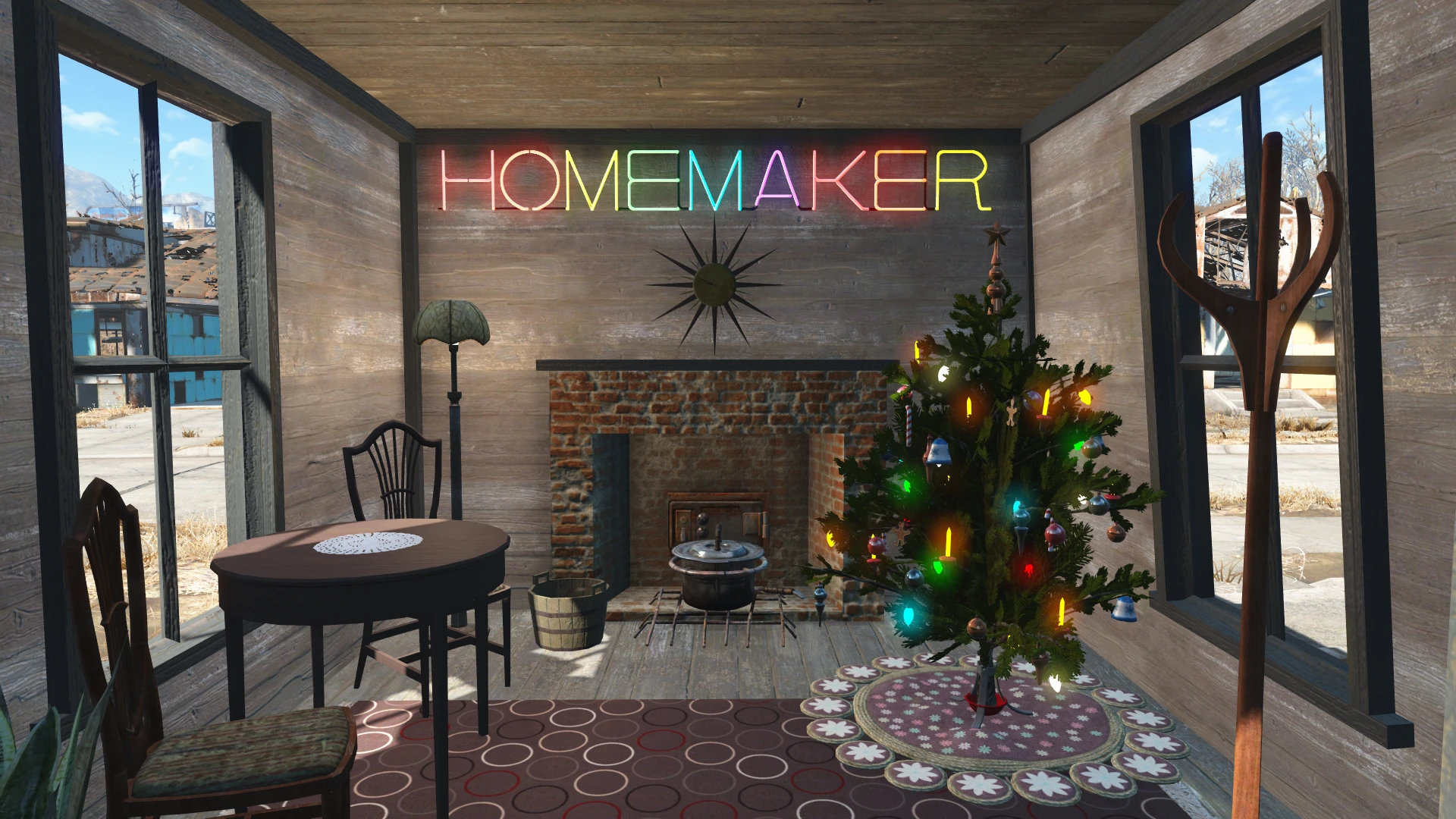
Homemaker adds over 1,000 new craftable settlement objects by unlocking vanilla assets and introducing new build sets, including the full 'Warehouse' and 'Barn' construction kits, working planters that auto-harvest, and functional appliances like refrigerators and sinks that snap properly. It also includes a 'Decorations' tab with hundreds of clutter items, signs, and pre-war furniture, plus a 'Structural' tab with concrete, metal, and wood variants not found in the base game. Players install it to vastly expand settlement building creativity without needing individual asset mods, making it a staple for any serious builder.
View on discovermods →Syntax
Crafting - Home/SettlementExample
Downloads: 5,672,080 | Endorsements: 140,680💡 Notes
By bombasticmori | v1.79.6 | 140,680 endorsements
🎯 Tips & Tricks
After installing, craft the 'Homemaker Holotape' at any chem station, then run it to open the configuration menu. Select 'Settlement Borders' and set it to 'Extended' (or 'Large') to allow building outside vanilla boundaries, especially useful for Sanctuary Hills (build across the bridge) or Starlight Drive-In (build up the hill). This requires the 'Settlement Menu Manager' (SMM) to be installed first for the holotape to appear correctly.
When placing Homemaker's 'Planter (Single)' or 'Planter (Double)' items, hold the left mouse button (or right trigger on controller) while moving to snap them to adjacent vanilla mutfruit or corn plots. This ensures they align with the existing garden grid, preventing floating or clipping issues. For large farms, build a concrete foundation first, then place planters on top for perfect spacing.
If you don't see Homemaker's new tabs (e.g., 'Homemaker - Furniture' or 'Homemaker - Structures'), open the console (`~`) and type `setini bShowAllGrids:General 1` then `reload INI`. If that fails, craft a 'Workshop Menu Reset' item (under 'Misc') at any settlement workbench, or use the mod 'Settlement Menu Manager' to rebuild the menu from its settings. This is a known issue after installing other menu-overhaul mods like 'Sim Settlements'.
🔧 Troubleshooting
Conflict with 'Snap'n Build' or 'Better Settlement Menus' causing missing categories or CTD when opening workshop
Load Homemaker's ESP AFTER 'Snap'n Build' and 'Better Settlement Menus' in your load order. Use LOOT to sort, then manually move 'Homemaker.esm' and 'Homemaker - Streetlights Use Passive Power.esp' below those mods. If CTD persists, disable 'Homemaker - Unlocked' option in the holotape (it conflicts with Snap'n Build's unlock system) and instead use 'Place Everywhere' for free placement.
Homemaker's 'Warehouse' walls don't snap to vanilla 'Metal' walls from the base game
This is a known mesh snapping issue. Install the patch 'Homemaker - Snap Patch' from Nexus (ID 1478) which adds snap points. Alternatively, use the 'Workshop Rearranged' mod as a compatibility layer, which includes Homemaker and fixes snapping. Ensure your F4SE is updated to the latest version for the patch to work.
⚠️ Common Mistakes
- [object Object]
- [object Object]
👍 Pros
- 140,680 endorsements
- 5,672,080 downloads
- Category: Crafting - Home/Settlement
👎 Cons
- Requires mod manager installation
- May conflict with similar mods