Full Dialogue Interface (NewDialog English and CN-DE-ES-FR-IT-JA-PL-PTBR-RU translations)
fallout-4 — Mods & Enhancements
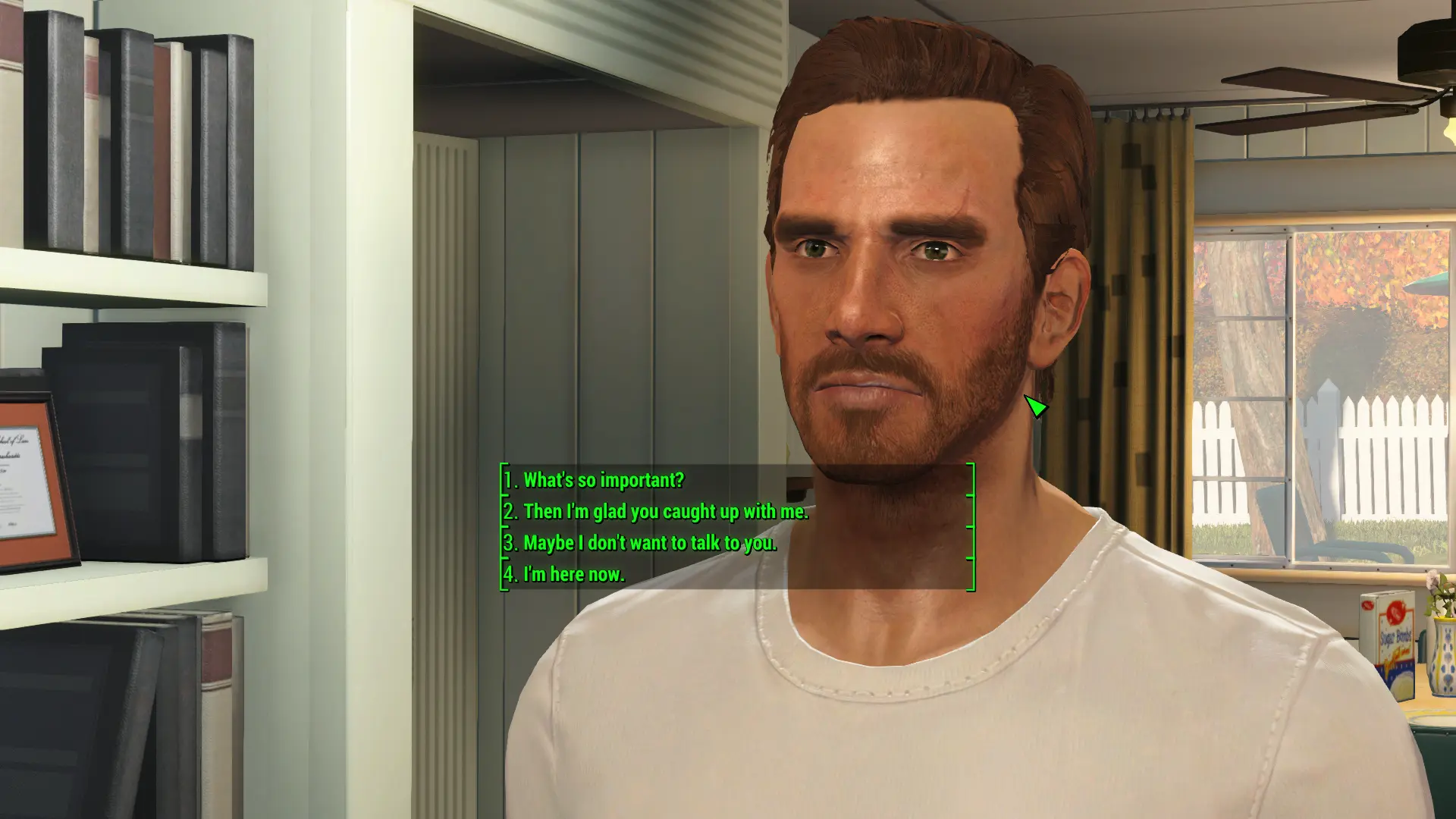
Full Dialogue Interface replaces the vanilla four-option dialogue wheel with a full list of the exact lines your character will say, eliminating the misleading paraphrases that often cause wrong choices. It also adds a numbered list (1-4) for keyboard/controller selection and works with the new dialog system introduced in Fallout 4's DLCs. Players install it to avoid accidentally picking sarcastic or hostile responses, and to better role-play their character by reading the actual dialogue text.
View on discovermods →Syntax
User InterfaceExample
Downloads: 7,219,582 | Endorsements: 179,318💡 Notes
By Cirosan and shadwar | vBeta12 | 179,318 endorsements
🎯 Tips & Tricks
After installing, open the mod's configuration file (Data\F4SE\Plugins\FDI.ini). Set 'bUseNumberKeys=1' to use number keys 1-4 for dialogue options. You can also set 'bShowSubtitles=1' to display subtitles for NPC lines. This makes dialogue faster and more keyboard-friendly.
If you use mods like 'Extended Dialogue Interface' or 'Sim Settlements', disable those first, as they conflict with FDI. For mods like 'Talkie' or 'NPCs Travel', check their compatibility patches. FDI works best as a standalone; avoid using multiple dialogue UI mods simultaneously.
If your game is in German, French, etc., download the corresponding translation file from the mod page (e.g., 'FDI - German'). Place it in the Data folder, overwriting the English ESP, but keep the original ESP as a master. This ensures the UI text is translated, not just the dialogue lines.
🔧 Troubleshooting
Dialogue options still show as paraphrased after installing, especially with mods like 'Start Me Up' or 'Alternate Start'
This happens because those mods edit the dialogue scripts. Ensure FDI is loaded AFTER those mods in your load order. In Vortex, set FDI's plugin to load last. If that fails, use a fresh save, as old saves may have cached dialogue data. Also, check if 'LooksMenu' or 'HUDFramework' is overriding the UI — disable those temporarily.
Game crashes when opening dialogue with mods that use 'MCM' or 'Workshop Framework'
This is a known conflict with 'Mod Configuration Menu' (MCM) if FDI tries to inject its own settings. Install the 'FDI - MCM Patch' from the mod page. If not available, edit FDI.ini to set 'bUseMCM=0' to disable MCM integration, and configure via the INI instead.
⚠️ Common Mistakes
- [object Object]
- [object Object]
👍 Pros
- 179,318 endorsements
- 7,219,582 downloads
- Category: User Interface
👎 Cons
- Requires mod manager installation
- May conflict with similar mods