DEF_UI
fallout-4 — Mods & Enhancements
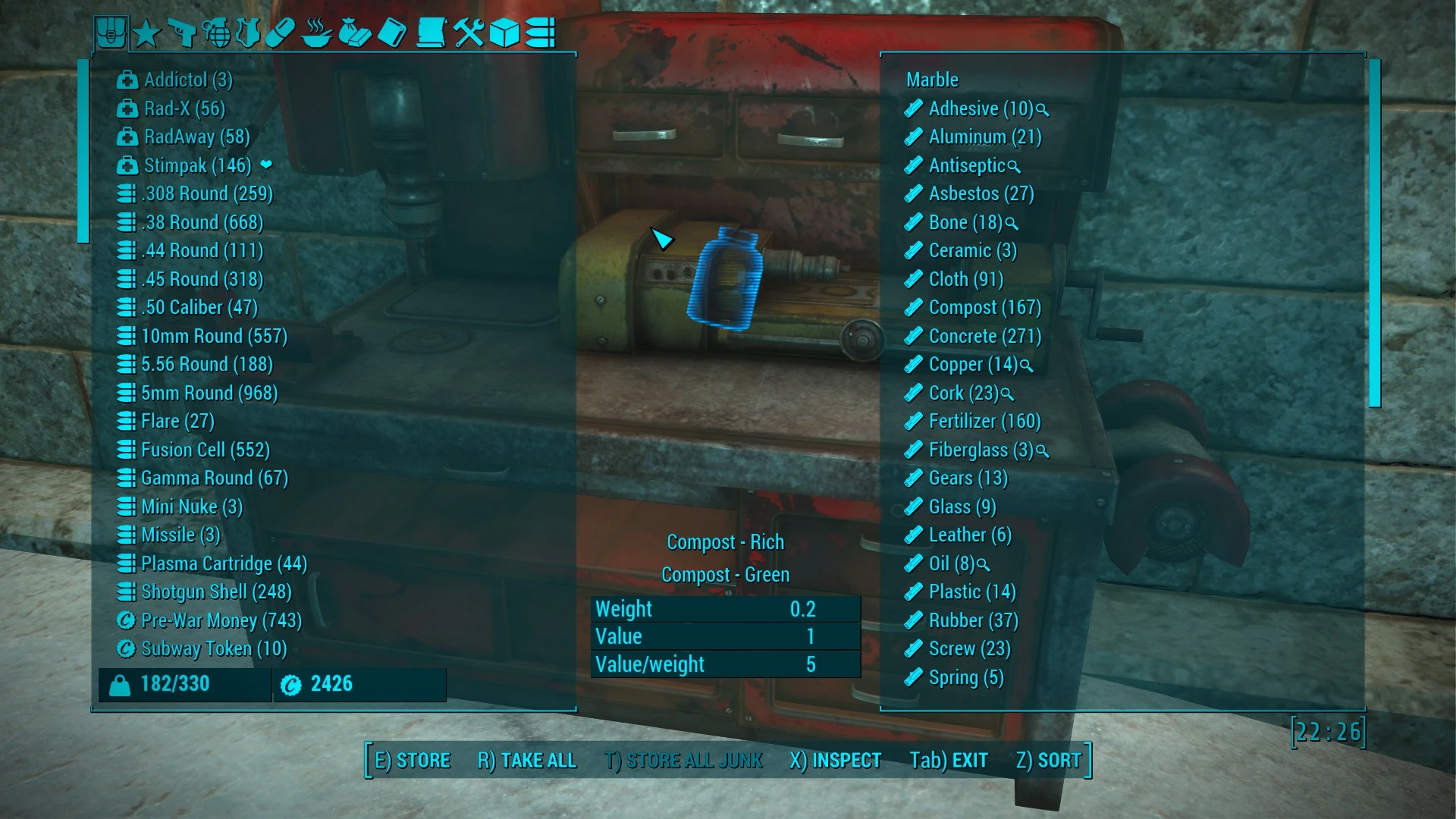
DEF_UI completely replaces Fallout 4's default HUD and Pip-Boy interface with a modular, XML-driven system. It lets you reposition, resize, and hide every HUD element (health, AP, compass, enemy markers) via an in-game HUD editor, and its DEF_INV component overhauls the inventory, container, and barter menus with sortable columns, search, and color-coded item categories. Players install it to reduce screen clutter for immersion or to gain precise inventory management for large modded loot lists.
View on discovermods →Syntax
User InterfaceExample
Downloads: 4,628,580 | Endorsements: 95,769💡 Notes
By Neanka and Valdacil and Old Nick and ParasiteX and sekoms | v1.6.0 | 95,769 endorsements
🎯 Tips & Tricks
While in game, press the 'HUD' key (default is 'H' on PC, or open the console and type 'HUD'). This opens the DEF_HUD editor where you can click any widget (e.g., the compass) and drag it to a new position. Use the mouse wheel to scale it, and press 'F5' to save your layout. The changes apply instantly, and you can toggle visibility per element by right-clicking.
In the DEF_INV Pip-Boy, open the 'Settings' tab (press 'Tab' when in the Items menu). Under 'Sorting', set 'Sort by' to 'Value/Weight Ratio' to quickly identify high-value loot. Also, enable 'Show Item IDs' to see the FormID of any item, which is critical for troubleshooting missing mods or using console commands to spawn specific items.
If you use a custom font mod like 'Fallout 4 HD Reworked Fonts', edit the 'DEF_HUD.xml' file located in 'Data\Interface\DEF_HUD' using Notepad++. Find the line '<Font>InterfaceFont</Font>' and change it to match your font's name (e.g., 'RobotoCondensed'). Save and reload the game. This prevents text from being cut off in the HUD and inventory columns.
🔧 Troubleshooting
DEF_UI conflicts with 'HUDFramework' (used by mods like 'Sim Settlements' or 'Immersive HUD') causing missing widgets or CTD on opening Pip-Boy.
Install 'HUDFramework' AFTER DEF_UI in your load order—place DEF_UI's ESP below HUDFramework's ESP. Additionally, run the 'DEF_UI Compatibility Patch' available on Nexus (search 'DEF_UI HUDFramework Patch') which merges the XML files. If you use Vortex, set DEF_UI as a 'Mod' and HUDFramework as a 'Dependency' to ensure proper overwrite order.
DEF_INV shows blank or invisible item icons when used with 'Valdacil's Item Sorting' (VIS) because VIS changes item naming and icon references.
Download the 'DEF_UI VIS Patch' from the VIS mod page. This patch provides a custom 'DEF_INV_icons.xml' that maps VIS's new icon tags. Load the patch AFTER both mods in your load order—place it directly below VIS's ESP. If icons are still missing, open the console, type 'setini bShowIconsInPipboy:Interface=1', and exit the game to regenerate the icon cache.
⚠️ Common Mistakes
- [object Object]
- [object Object]
👍 Pros
- 95,769 endorsements
- 4,628,580 downloads
- Category: User Interface
👎 Cons
- Requires mod manager installation
- May conflict with similar mods