Commonwealth Cuts - KS Hairdos - ApachiiSkyHair
fallout-4 — Mods & Enhancements
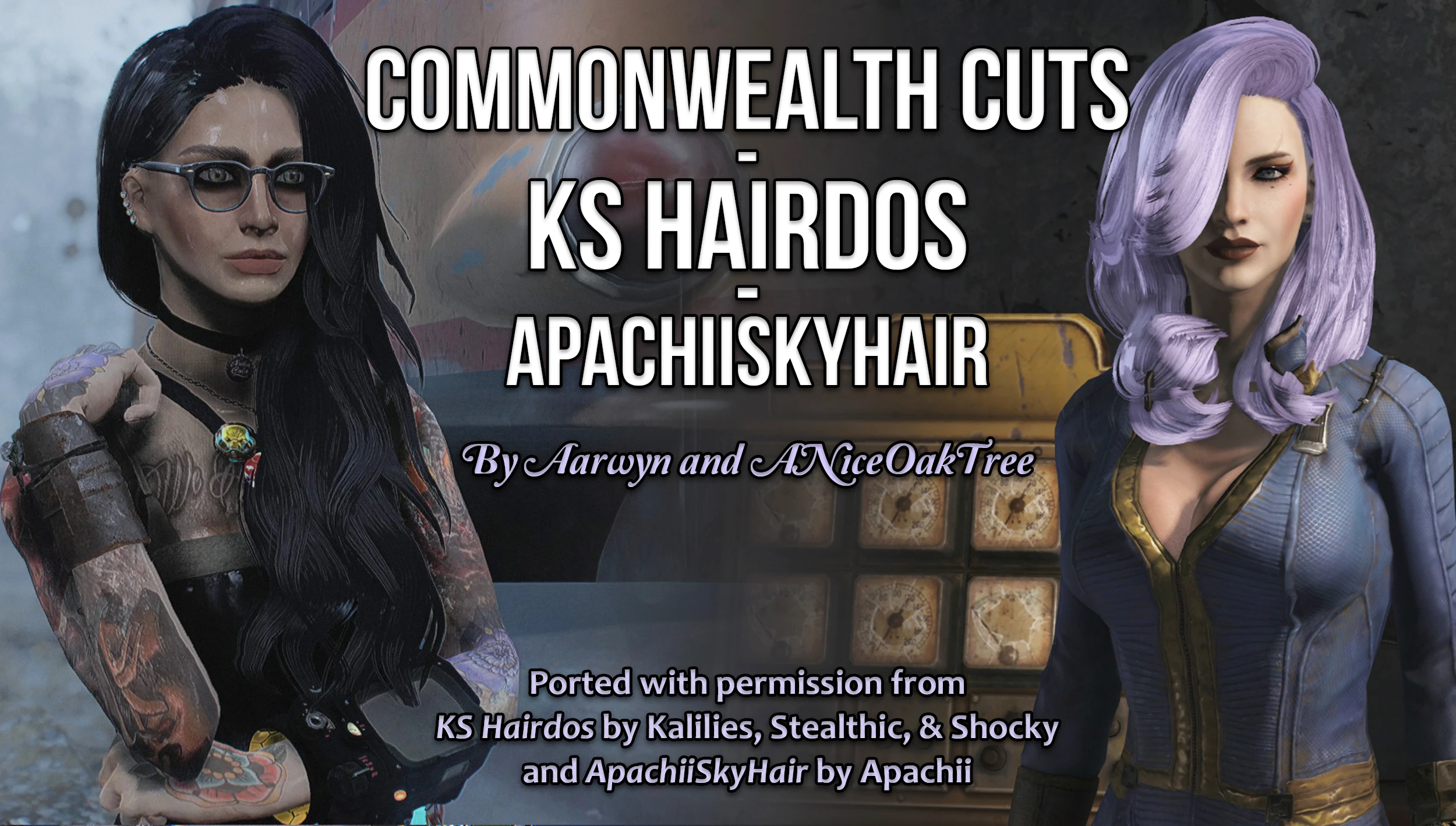
This mod ports over 200 hairstyles from Skyrim's popular KS Hairdos and ApachiiSkyHair mods into Fallout 4, replacing the vanilla's limited and often ugly hair options. It adds these styles to the character creation menu and to the barber chair in Diamond City, letting you give your Sole Survivor everything from long flowing locks to intricate braids and buns. Players install it to dramatically improve character customization, especially for female characters, and to fix the lack of hair diversity in the base game.
View on discovermods →Syntax
Body, Face, and HairExample
Downloads: 6,281,067 | Endorsements: 107,949💡 Notes
By Aarwyn and ANiceOakTree | v2.5.1 | 107,949 endorsements
🎯 Tips & Tricks
Go to Diamond City's barber (Carla's shop, near the main gate) or build a 'Barber Chair' in any settlement (under Furniture > Misc). Sit in the chair, choose 'Change Hairstyle', and the new styles will appear at the end of the list. The mod adds a separate category called 'KS' and 'Apachii' to distinguish from vanilla styles.
Open the console (~) and type 'showlooksmenu player 1' to open the full character creation menu. Navigate to the 'Hair' section and scroll through all the new styles. This works even mid-game, and you can also change hair color with 'showlooksmenu player 2' for the color sub-menu.
Many of these Skyrim hairstyles are large and will clip through hats or power armor helmets. To minimize this, use the 'LooksMenu' mod and its 'F4SE' plugin, which allows you to adjust hair scale. In LooksMenu's sliders, find 'Hair Scale' and reduce it to 0.8 or 0.9 for long styles. Alternatively, use the 'No Hat Damage' mod to avoid forced hat removal.
🔧 Troubleshooting
Hairstyles appear as bald/empty heads in game, or cause the character's head to disappear when viewed in third person
This is a known issue with the mod when using 'LooksMenu' version 1.6.20 or older. Update LooksMenu to the latest version (1.6.20+). Also, ensure you have the 'Fallout 4 Script Extender (F4SE)' installed and that the mod's ESP is loaded AFTER any body mods like 'CBBE' or 'BodyTalk'. If the issue persists, try disabling 'High Resolution Texture Pack' in the mod's options.
The mod conflicts with 'Commonwealth Cuts' (the original) or 'ApachiiSkyHair' standalone, causing duplicate hairstyles or CTDs in character creation
You cannot have both this combined mod and the individual KS or Apachii mods active simultaneously. Uninstall the standalone versions completely, and only keep this combined ESP. In Vortex, ensure the combined mod's ESP is set to 'After' the base game and 'Before' any other hair mods like 'Eyes of Abernathy' or 'Beards'. If you still get CTDs, use 'Fallout 4 Plugin Cleaner' to remove any dirty edits.
⚠️ Common Mistakes
- [object Object]
- [object Object]
👍 Pros
- 107,949 endorsements
- 6,281,067 downloads
- Category: Body, Face, and Hair
👎 Cons
- Requires mod manager installation
- May conflict with similar mods