BodySlide and Outfit Studio
fallout-4 — Mods & Enhancements
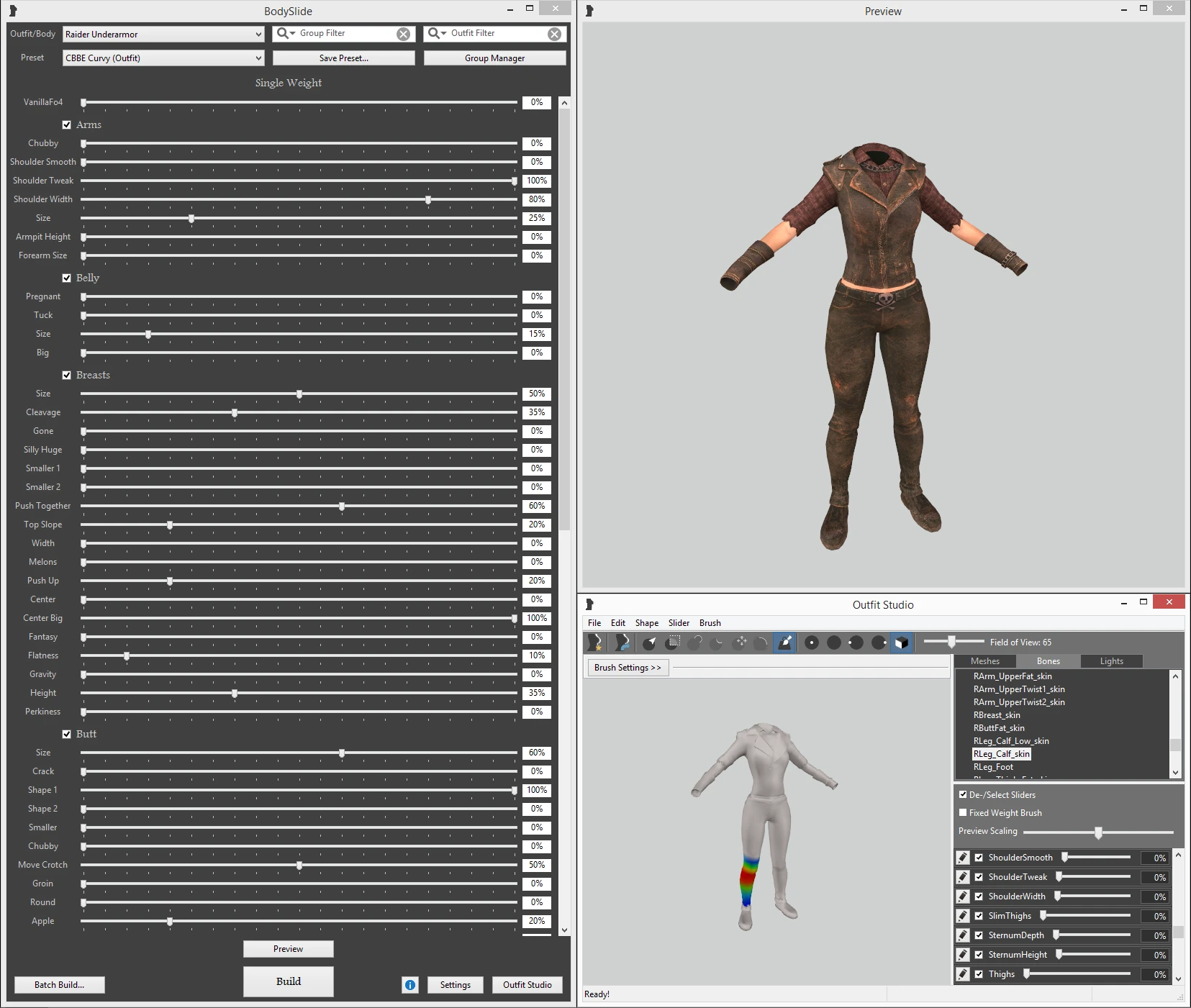
BodySlide and Outfit Studio is a comprehensive tool that lets you morph the base female and male body meshes (CBBE, Fusion Girl, or vanilla) and every outfit that supports it, using sliders for breast, butt, waist, and more. It also includes Outfit Studio, a full 3D editor where you can convert outfits between body types (e.g., from CBBE to Fusion Girl), fix clipping, or create custom armor variants. Players install it to achieve a personalized body shape that affects all clothing and armor in-game, and to ensure outfits fit perfectly without clipping, which is critical for immersive gameplay and screenshots.
View on discovermods →Syntax
UtilitiesExample
Downloads: 9,553,697 | Endorsements: 212,163💡 Notes
By Ousnius and Caliente | v5.8.2 | 212,163 endorsements
🎯 Tips & Tricks
Open BodySlide, select 'Batch Build' from the top menu. Under 'Outfit/Body' choose 'All' or specific groups. Set 'Preset' to your saved shape (e.g., CBBE Curvy). Check 'Build morphs' if you use OBody or BodyGen. Click 'Build' — this processes all outfits at once, saving time. Always build the base body (CBBE Body) first, then outfits.
In Outfit Studio, load the outfit and the body reference (File > Load Reference, pick CBBE Body). Use the 'Brush' or 'Move' tools to push vertices outward. After editing, save as a new project. Then in BodySlide, select that outfit, choose your preset, and hit 'Build'. This creates a custom outfit mesh that won't clip with your body shape.
For a single outfit, select it in the left pane, choose your preset, and click 'Build' (not batch). This only generates that outfit's meshes. To apply changes in-game without restarting, use the console command 'reloadbodies' after building, or if using the BodySlide mod (with F4SE), it auto-applies on load.
🔧 Troubleshooting
Outfits appear as default body shape or invisible after building with CBBE but using Fusion Girl body mod
This is a classic conflict between CBBE and Fusion Girl. Ensure you only build outfits that are compatible with your installed body mod. If using Fusion Girl, download the Fusion Girl BodySlide conversion patches (e.g., 'Fusion Girl - CBBE Conversions'). In BodySlide, check that the outfit's 'Reference' is set to Fusion Girl (bottom right). If not, load the outfit in Outfit Studio and change the reference body to Fusion Girl, then rebuild.
BodySlide changes not showing in-game, especially with mods like 'Unique Player' or 'LooksMenu'
This often happens if the outfit meshes are overwritten by other mods. In your mod manager, ensure BodySlide's output folder (usually 'Data\Meshes\Actors\Character\CharacterAssets' and 'Data\Meshes\Armor') is placed AFTER any mods that also provide meshes. In Vortex, set BodySlide to 'Deploy' last. Also, check if 'LooksMenu' is loading a custom body preset that overrides BodySlide — disable that or set it to match your BodySlide preset.
⚠️ Common Mistakes
- [object Object]
- [object Object]
👍 Pros
- 212,163 endorsements
- 9,553,697 downloads
- Category: Utilities
👎 Cons
- Requires mod manager installation
- May conflict with similar mods